
Using Tokens
Tokens in Shell Applications
Section titled “Tokens in Shell Applications”-
Make sure that the global styles are included globally in your Angular project:
styles.scss @use '@yuuvis/material/scss' as ymt;@include ymt.global-styles(); -
Tokens are available in the frontend as CSS variables with the prefix
--ymt-*.
They can be applied (see Token Usage Guidelines) directly inside components, for example:example.component.css .my-call-to-action {background: var(--ymt-primary);color: var(--ymt-on-primary);border-radius: var(--ymt-corner-m);padding: var(--ymt-spacing-m);}By including
ymt.global-styles();alongside tokens, additional global styles (e.g., resets, styles for html native elements) are also provided to ensure consistency across all Shell Applications.
Tokens in Figma
Section titled “Tokens in Figma”Design tokens are consumed in Figma through two mechanisms:
- Typography tokens → Text Styles (from the Token library)
- All other tokens → Figma Variables (colors, numbers, opacity, radii, spacing, etc.)
yuuvis® Token Figma Library
Section titled “yuuvis® Token Figma Library”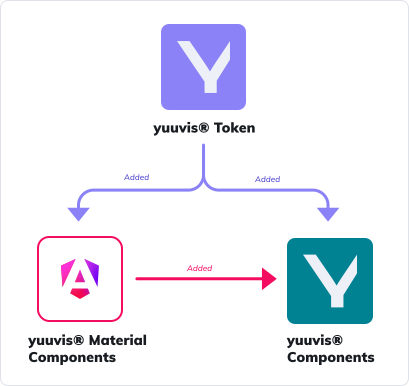 Available Figma Design libraries. This chapter focuses on the yuuvis® Token library only.
The token library contains three variable collections:
-
yuuvis® Standard Theme Token Reference tokens (e.g., color palettes, typography core values). They are internal building blocks used to compose Material and Ymt tokens and are not for direct use in design files.
-
Material System Token The Material System tokens as actually themed/overridden for yuuvis®. They document the configured Material baseline that our system runs on.
-
Ymt Token The public system tokens you use in design files.
Add to new design file
Section titled “Add to new design file”-
Create the file
In Figma, create a new design file in team yuuvis®. -
Enable the libraries
Open Assets → Library (book icon) and add yuuvis® Token.